









Block Webcam & Microphone Personal
Malicious hackers can secretly hijack a user’s webcam and steal important information. To prevent this, we only allow webcam use in specified applications and block webcam use in other cases. Additionally, webcam usage logs are stored on the application for future monitoring.
Our policies are created easily with the application, and the application is structured very intuitively.
xSecuritas is certified with ISO 27001:2022 and SOC2 Type II, confirming that our security controls, development processes, and operational practices meet internationally recognized standards. These certifications provide additional assurance for enterprises that require strict compliance and secure handling of sensitive information.


Screen Examples
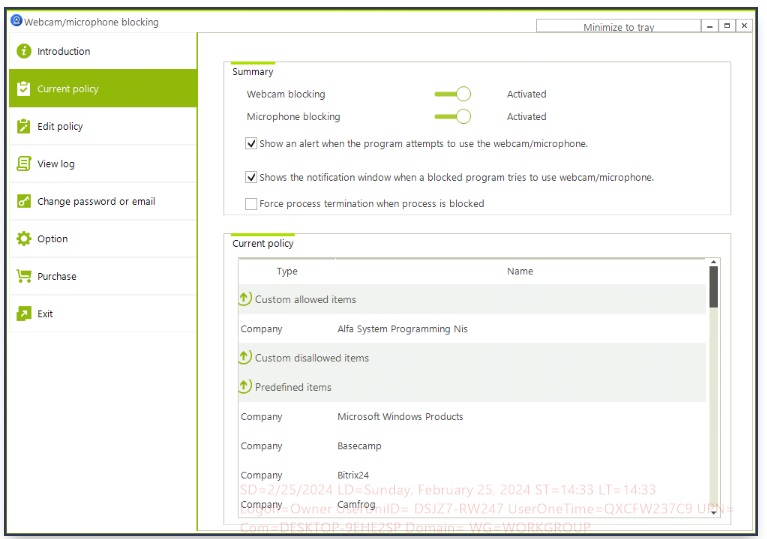
1. Policy Setting Window
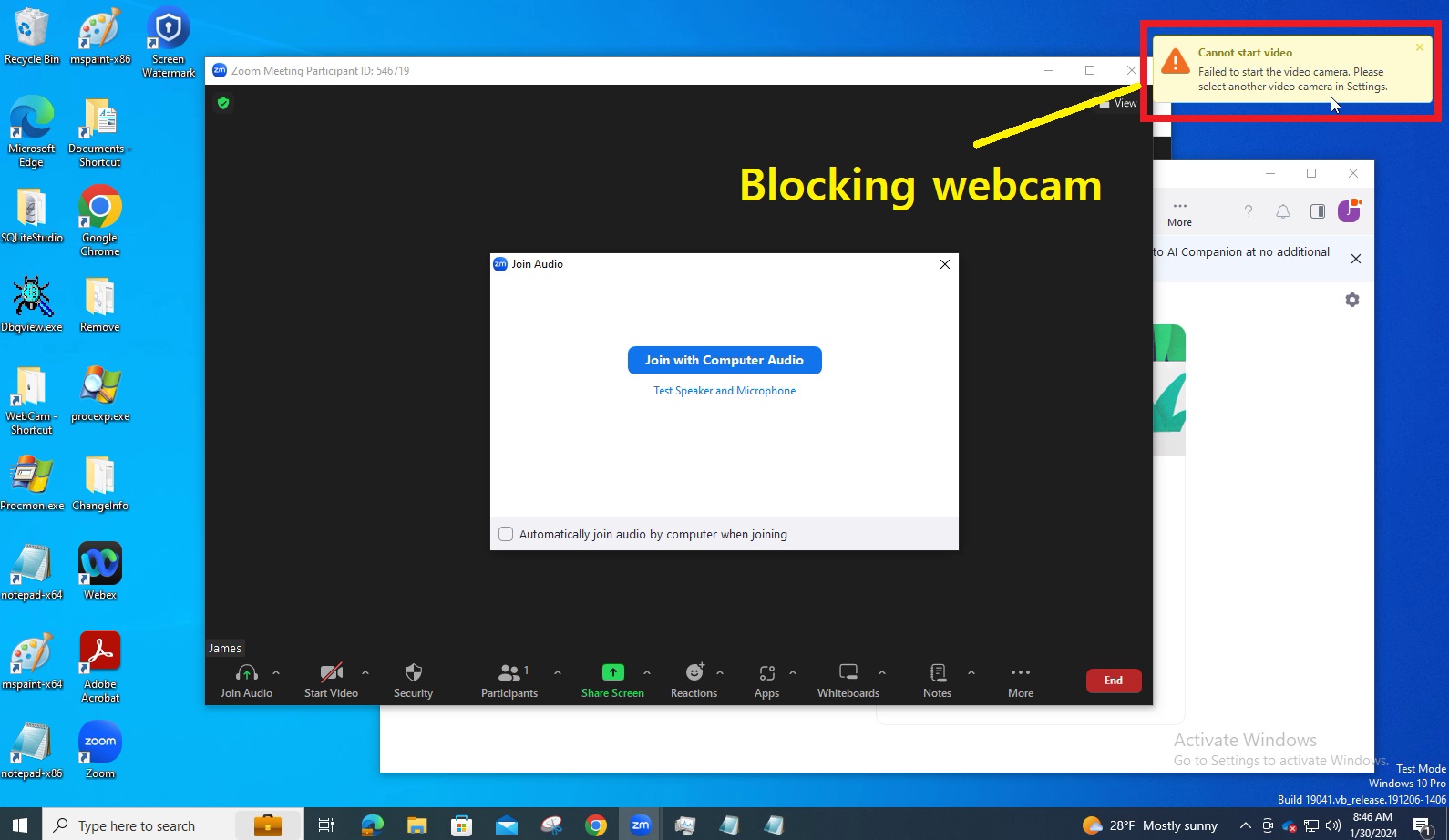
2. If webcam use is denied in ZOOM by policy
Key Features
Agent
- Prevent malicious programs that use webcams or microphones.
- This prevents your personal information from being leaked through webcams or microphones.
- Logs the programs that access to your webcam or microphone.
- You can specify which applications can use the webcam or microphone.
- You can also specify which applications do not have access to webcams or microphones.
- Applications that are installed by default when installing Microsoft Windows can use webcams and microphones.
- When the main program terminated, all programs will not be able to use the webcam and microphone.
- We provide a list of widely used applications for user convenience.
- If an unregistered application tries to use the webcam or microphone, display the window and ask the user whether or not to allow the use.
Supported O/S
 Windows